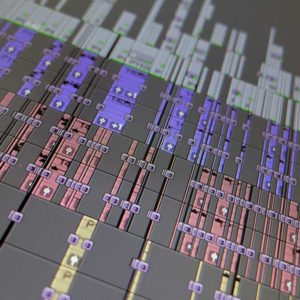
Preparing for video editing properly helps your edit run smoothly, makes the most of the time you are paying for, and gives your editor the best chance of delivering exactly what you want. Below I have listed the main elements I regularly use in an edit to help production clients understand what to bring or consider when preparing for video editing.
Sending all filmed footage and any of the elements below to your editor ahead of the edit is always helpful. This gives your editor time to link files up or transcode them as required, so everything is ready to edit from day one.
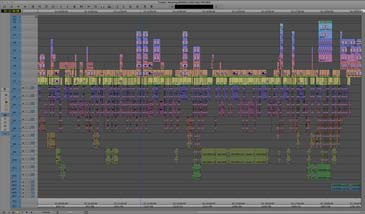
15 things you may need for your video edit
1. Animations
Using a mix of live action and animation can help maintain audience viewing duration. Animation serves many purposes, from explaining complex data quickly to adding humour. Plan and commission any animation early in the project so it arrives in time for the scheduled edit.
2. Archive film or video
You may hold your own archive of previously filmed footage that could add interest to the new project. To source commercial archive footage from a broadcaster, you need to enter a licensing agreement and pay agreed costs to obtain the required material.
3. Credits list
Supply your editor with a complete credits list in an email or document. Having this ready considerably speeds up the text-editing process, as your editor can copy and paste directly from your file rather than retyping everything manually.
4. Documents
Existing graphics, PDFs, spreadsheets, or Word documents can all help explain a project or illustrate content. Bringing any relevant files to the edit gives you and your editor the creative freedom to use them as needed. Your editor can also apply a range of effects to simple documents to make them look more visually interesting.
5. Fonts
Think about which font you want for your text elements and credits. If you have a specific or unusual font in mind, bring the font file to the edit so your editor can install it. Specialist fonts carry licensing conditions, so check that you hold the correct permissions before use. There are many websites offering these. Check out MyFonts as an example.
6. Library or stock shots
Library footage, both stills and video, from commercial sources can help illustrate your edit. Most library and stock material requires a licence fee, so factor this into your budget when preparing for video editing. There are many websites offering this, Pond 5 can be a good place to start
7. Logos
Managing logos, their appearance, and their placement can take up significant edit time. Supply high-resolution vector-based versions of any logos you need. Look for files with an .eps or .ai extension on your computer or network, or ask the graphic design team who created the logo to supply a vector .eps version. If a vector version is not available, bring the largest file size versions you have.
8. Motion graphics
Complex combinations of live action, graphics, and text all add time to an edit. Either allocate extra edit time for their creation, or have them produced in advance and delivered as file-based media ready for the edit.
9. Music
If you know which music track you want and hold the correct copyright clearance, bring it to the edit. Commercial tracks published by a record company can cost a significant amount to clear. Production music websites such as AudioJungle offer a wide range of genres at more affordable licence rates.
Also consider having a bespoke music track composed specifically for your video. This can be a cost-effective solution, especially if you plan to use the track repeatedly. Always supply uncompressed audio files where possible, either WAV or AIFF format. Compressed files such as MP3 tend to sound flatter and less dynamic than their uncompressed equivalents.
10. Script
Providing your editor with a script allows the edit to progress without you needing to be present throughout. For scripted films or videos, the document helps your editor build the cut at the correct pace and leave space for any elements still to be delivered, filmed, or recorded. A script also helps your editor hit the correct final duration.
For drama edits, production typically provides a script indicating which take to use from the available footage. If you know the file names and timecodes of the takes you want, add them to the script or supply a separate document for your editor.
11. Sound effects
Sound effects can supplement or replace pre-recorded sounds in the edit. They add interest and weight to the soundtrack and can suggest action happening on-screen or off-screen. Individual sound effects are available to purchase online as required.
12. Specially shot footage
Green screen, high-frame-rate, rostrum, aerial footage, and heat-sensing cameras all require specialist equipment and advance planning. Some of these techniques can be achieved during your regular shoot, but all need to be scheduled well before the edit begins.
13. Still images
Always supply the highest resolution images available. A high-resolution image gives your editor the flexibility to reframe, move, or zoom into specific areas of the picture during the edit. The highest resolution files also deliver the best quality in the finished video. Aim for files in the 2MB to 10MB range where possible.
14. Voice-over
Pre-recording a voice-over with a professional artist in a soundproof audio booth with broadcast-standard microphones gives the best results. Timing will depend on the artist’s availability and your production schedule. Alternatively, record a guide voice-over for the edit and replace it with the final recording once the artist watches the edit play out. A quiet space close to the microphone can also work if a studio is not available.
15. Wild track
Always record a wild track on your shoot. Wild track is a sound recording of the ambient background at a location with no additional action. Supplying this to your editor makes it much easier to blend difficult audio transitions.
If you have any questions or would like advice on anything related to preparing for video editing, your video production, or post-production, please do get in touch. If you have found this preparing for video editing useful, you may also enjoy these related articles. For more advice and tips, check out my video production blog.