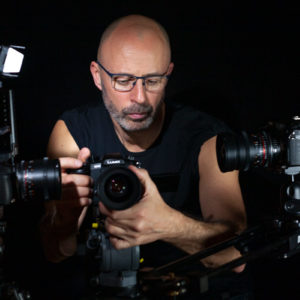
As a professional video editor with many years of experiences, I’ve written a brief guide to explain how to edit a music video.

Editing music-based video
Over the course of my professional editing career, I’ve enjoyed editing a wide range of music-based projects. These have included editing music-based videos for the BBC, complex insert-roll music-based editing for Top Of The Pops, and many short films for broadcast on network television. Editing films and video with music is a passion of mine. I use Avid Media Composer for my video editing.
Music video production
In an ideal scenario, your video editor will be involved before any filming starts. This would allow for the editor’s technical knowledge and creative perspective to be considered at the production stage and certainly before the shoot. An editor might suggest different ways of filming certain elements or request additional shots. Their input could help save money, resulting in a quicker editing process and preventing any further filming later in the music video’s production.
If the music track is being supplied as a finished track, then all a video editor has to edit together are the supplied visual elements along with any elements the editor creates. In a way quite different from editing a documentary or story-led film, where you would start by editing the story together with sound first. The editor of a music video may still need to tell a story or explain a concept but would now do this using a range of visual imagery alone.
Editing a music video
To edit a music video some of the main elements you may need to consider are:
1. What are the best vocal sync performances?
2. Can you include all the best visual shots?
3. What is the cut-rate – possibly linked to the track BPM (beats per minute)?
4. Will you be editing in any other performances?
5. Is there a relevant storyline?
6. What different cameras and camera angles are there to consider?
7. Has a visual style been agreed?
8. What visual effects will suit the video?
9. Are any complex visual compositions required?
10. Will the music video contain any animations?
11. Will the music video contain any additional graphical elements?
12. Are there any colour grading style requirements?
13. What is the agreed timetable for the edit?
14. What is the agreed timetable for the artistic, production and management sign-off?
What is the final technical file delivery specification listing the raster size and any compression requirements?
Starting the music video edit
Of course, there are many ways to approach every edit. I have written this article as if I were approaching a music video that contains a vocal performance and is filmed with a multi-camera recording.
If I were starting an edit after filming, the first thing I would do is talk to the creative lead on the project to understand what they were looking for. The creative lead may be a producer, the musicians themselves, the artist’s management or even an agency representing the artists.
Once you have the media, have a look through the material and get a sense of what has been filmed.
If the music track contains vocals, the first thing I would do is sync the video to the vocals for the best performance. You can do this manually by matching the guide track to the master track, or use software to help. It might be that you have many different takes, with more than one camera filming.
Editing multi-camera shoots
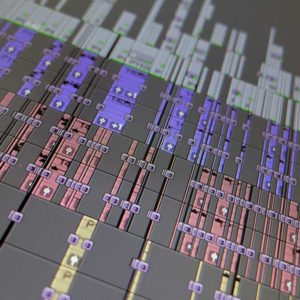
If it’s a multi-camera shoot, I would first group-clip (I’m editing in Avid) every recording, and then edit the performances using the group clip. If you associate each multi-camera performance with a group clip before you start editing, you can then easily switch between camera angles in the timeline.
Perhaps you are editing a multi-camera performance with many takes. Ideally, you will have received a script that lists the best takes to edit in. If you have not received any editing notes or guidance, my advice would be to edit in the best group takes onto different vision layers. If you start the edit with all the best performance takes synced into position on different video layers, then you have a master timeline to refer back to. Of course, this all depends on the amount of time allocated to the editing process.
Naming incremental editing timelines
With ‘edit 1’ being your master timeline, create a duplicate of this edit and call it ‘edit 2’. You can then repeat this process as you progress your edits, incrementing the edit timeline numbers at different stages. This means that you always have a previous copy of the last edited timeline to refer back to.
Having a master edit with all the best performances in sync can be really helpful if your producer or creatives want to check whether a better performance is available.
Over time you will gain a perspective on what shots and performances work best and feel strong for the edit.
After syncing up the best performances and selecting the best camera angles, the next thing to consider is any specific shots needed to tell the story, so to speak (if applicable).
Any other required elements, performances or shots that you have seen that work well can be edited in at this stage.
Painting the edit
The editing in of non-synchronous shots or general-view shots is referred to as ‘painting’. This would be a good time to start ‘painting’ in any visual gaps in the music video timeline with shots that work well. By the end of this stage, you would have a timeline with visuals for the entire music track.
By now, you should be starting to edit at the agreed-upon cutting rate or at one you consider suitable for the music track in the video. Perhaps you have started adding visual effects to the shot footage or experimenting with different visual looks or options that will determine the style of the final video.
At this point, the music video will start to be edited into some kind of shape. Depending on the timeframe for delivering the edit and your agreement, it may be time to show the edit to your lead creative or producer. This could give them the opportunity to see how the music video edit is shaping up and allow for creative input if required.
By working with the producer or musicians involved in the project, you can deliver a final music video that meets the project’s creative vision and brief.
From simple, slow, straight-cut-based editing to fast-paced, composited, multi-layered effects editing, the video editor plays an essential role in enhancing and delivering the creative vision for every music video available today. If I can help with any questions you may have or editing your music-based projects, please do get in touch. You might be interested in reading some of these articles from my video production blog: